A practical password manager setup for families
Secure shared access while giving each person their own account. Choose a manager with end-to-end encryption, emergency access and a clear export path
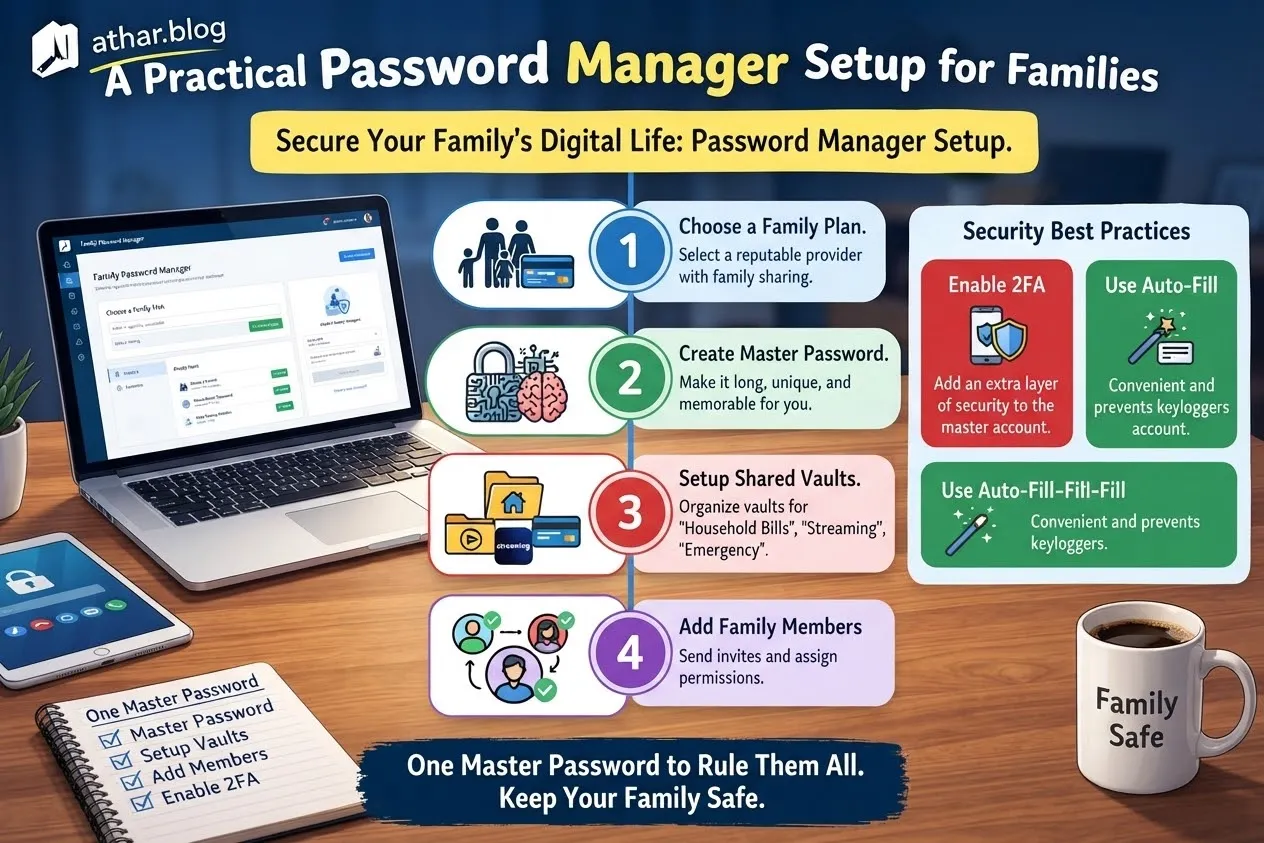
A useful guide for implementing a family password manager setup begins not with a collection of impressive terms, but with a specific decision. This practical approach becomes far more manageable when you precisely identify what aspects of your current system require modification, what resources—both technological and human—you possess, and how you will definitively measure the success of your new arrangement. The core objective is to establish secure shared access for necessary accounts while simultaneously ensuring that each family member retains individual control over their private credentials. The aim here is not to meticulously copy someone else’s routine or adopt a one-size-fits-all solution. Instead, it is to make a thoughtful, informed choice that precisely fits your unique household's constraints, digital literacy, and specific security requirements.
Defining Your Core Objective
Before embarking on any significant change, it's crucial to articulate the desired outcome. Write down the specific result you want to achieve in a single, clear sentence. This process helps separate a measurable outcome from a vague aspiration. For instance, goals such as "saving 15 minutes per month on account lookups," "avoiding errors in online bill payments," "enabling quick access for a family member to emergency contacts," or "building a consistent habit of using strong, unique passwords" are all distinct jobs.
It's equally important to identify what aspects of your current system are already functioning well, so you don't inadvertently discard them without a valid reason. Before making any alterations, document your current process for managing passwords and note the approximate time, financial cost, or friction involved. This provides a fair and objective baseline against which you can compare your new system later, allowing for a data-driven evaluation of its effectiveness.
Selecting the Right Password Manager
When it comes to choosing a password manager suitable for family use, certain features are non-negotiable. Prioritize solutions that offer robust end-to-end encryption, ensuring that only authorized users can decrypt and access your sensitive data. Emergency access features are also critical, allowing designated individuals to access accounts in unforeseen circumstances (e.g., illness, death) without compromising daily security. Finally, a clear and straightforward export path is essential for data portability and to avoid vendor lock-in, enabling you to transfer your passwords should you decide to switch managers in the future.
Once you've narrowed down options, compare them using consistent criteria:
- Cost: Initial purchase, subscription fees, and any hidden charges.
- Effort to Set Up: Ease of installation, account migration, and user onboarding.
- Reliability: Uptime, past security incidents, and general stability.
- Reversibility: How easy is it to switch away from the service if it doesn't meet expectations?
- People Affected: How intuitive is it for all family members, regardless of their tech proficiency?
A simple written comparison, perhaps in a spreadsheet, often prevents the most expensive kind of mistake: committing significant time and resources before fully understanding the trade-offs involved. Always begin with the smallest useful version of your new system. If it proves beneficial, you can incrementally improve it. If it doesn't, you can change course without losing months of effort.
Implementing Secure Practices
Regardless of the chosen manager, certain security practices are paramount. Each family member must establish a unique and strong master password for their individual account within the manager. This master password should be memorized and never written down or shared. Additionally, enable strong multi-factor authentication (MFA) for every password manager account. This could involve a hardware security key, a dedicated authenticator app, or even biometric verification, adding an extra layer of protection.
What This Can Look Like in Practice
Consider a common household scenario: managing utility bills. You might store the login credentials for your electricity or internet provider in a shared family vault within the password manager. This allows any designated family member to access and pay the bill if needed. Simultaneously, personal banking credentials, investment accounts, and individual email logins would remain strictly within each person's private vault, accessible only by them. The key is to test this arrangement rigorously. For example, ensure that a family member granted access to the shared utility vault cannot, under any circumstances, view or access another's private banking credentials.
This example begins with a real-world constraint—shared household responsibilities—and aims for an observable outcome: seamless shared access to specific accounts without compromising individual privacy. It does not promise that every person will achieve the exact same result or experience, but rather offers a framework for adaptation. Scale and adjust the details to fit your unique situation. If another person's cooperation or well-being depends on this decision, actively involve them in the discussion. Ask them what specific features or ease-of-use factors would make the change genuinely useful for them, rather than making assumptions.
Potential Pitfalls to Avoid
Several common missteps can undermine the security and effectiveness of a family password management system. A primary concern is the use of a shared master password across multiple family members. This practice completely removes individual accountability and creates a single point of failure; if that one master password is compromised, all shared accounts are at risk.
Secondly, avoid the temptation to store recovery codes, backup phrases, or second-factor authentication codes in the immediate vicinity of the accounts they protect. For instance, do not save your password manager's recovery key within the password manager itself, or store a hardware security key dongle attached to the computer where you access sensitive accounts. Keep these crucial recovery mechanisms physically separate and secure.
Be especially wary of generic advice that omits critical details such as costs (both financial and in terms of effort), specific context, or inherent uncertainties. Every family's situation is unique, and what works for one may not work for another. It's also vital to record any issues or setbacks that occur during implementation as carefully as you document successes. A missed target or an unexpected hurdle is valuable information, not a reason to abandon the entire plan. If the topic involves sensitive areas like money, health information, legal obligations, or other highly private data, always verify relevant rules and regulations locally. Do not hesitate to seek qualified professional guidance from legal or financial experts when needed, as online advice cannot substitute for personalized counsel.
Key Steps for Implementation
To begin your journey towards a more secure family password management system, follow these practical steps:
- Inventory Important Accounts: Compile a comprehensive list of all online accounts used by family members. Categorize them into "shared" (e.g., streaming services, utility bills) and "individual" (e.g., banking, personal email).
- Rotate Reused Passwords: Identify any instances where passwords are being reused across multiple services. Prioritize changing these to strong, unique passwords using the new password manager's generation feature. Start with the most critical accounts (email, banking).
- Document Emergency Access Plan: Create a clear, written, and securely stored plan for emergency access to essential accounts without explicitly sharing the master password. This might involve designating a trusted contact who knows where a physical emergency kit (containing recovery codes, encrypted instructions) is located.
- Onboard Family Members: Dedicate time to help each family member set up their individual password manager account, understand its basic functions, and practice using it for both shared and private logins.
- Set Up Shared Vaults: Create specific shared vaults for household accounts that multiple family members need to access, such as streaming services, smart home controls, or utility providers. Ensure permissions are set correctly.
Ongoing Review and Adaptation
Once your family password manager system is established, it's essential to give yourself a realistic review date—perhaps three to six months out. At this point, compare the results against your initial baseline measurements. Ask yourself whether the changes genuinely solved the original problem you identified. Based on this evaluation, decide whether to continue with the current setup, revise specific aspects, or completely change course. Progress often comes from modest actions repeated carefully and consistently, rather than from a dramatic, one-off decision. Maintain detailed notes on what worked, what didn't, and any unexpected challenges or benefits. This ongoing documentation ensures that your next choices are informed by your own evidence and lived experience, rather than relying solely on generic success stories or external recommendations.
--- Related Articles:

10 Best Free AI Tools for Content Creators in 2026
A practical, honest guide to free AI tools, with realistic options, safety checks, common mistakes, and a clear starting plan.

أدوات الذكاء الاصطناعي لصنّاع المحتوى العرب: دليل عملي ومسؤول
كيف يستفيد صانع المحتوى العربي من أدوات الذكاء الاصطناعي في البحث والتنظيم والتدقيق دون أن يفقد أصالته أو ثقة جمهوره.
كيف تتصدر نتائج بحث جوجل في وقت قياسي؟ دليل السيو العملي للمواقع الجديدة في 2026
دليل السيو العملي لعام 2026: كيف تتصدر نتائج بحث جوجل بموقعك الجديد وتجلب آلاف الزيارات المجانية في وقت قياسي وبأمان.