Cybersecurity Basics Every Freelancer and Remote Worker Should Know
Protect your accounts, client files and payments with practical security habits: passwords, two-factor authentication, backups and phishing checks.
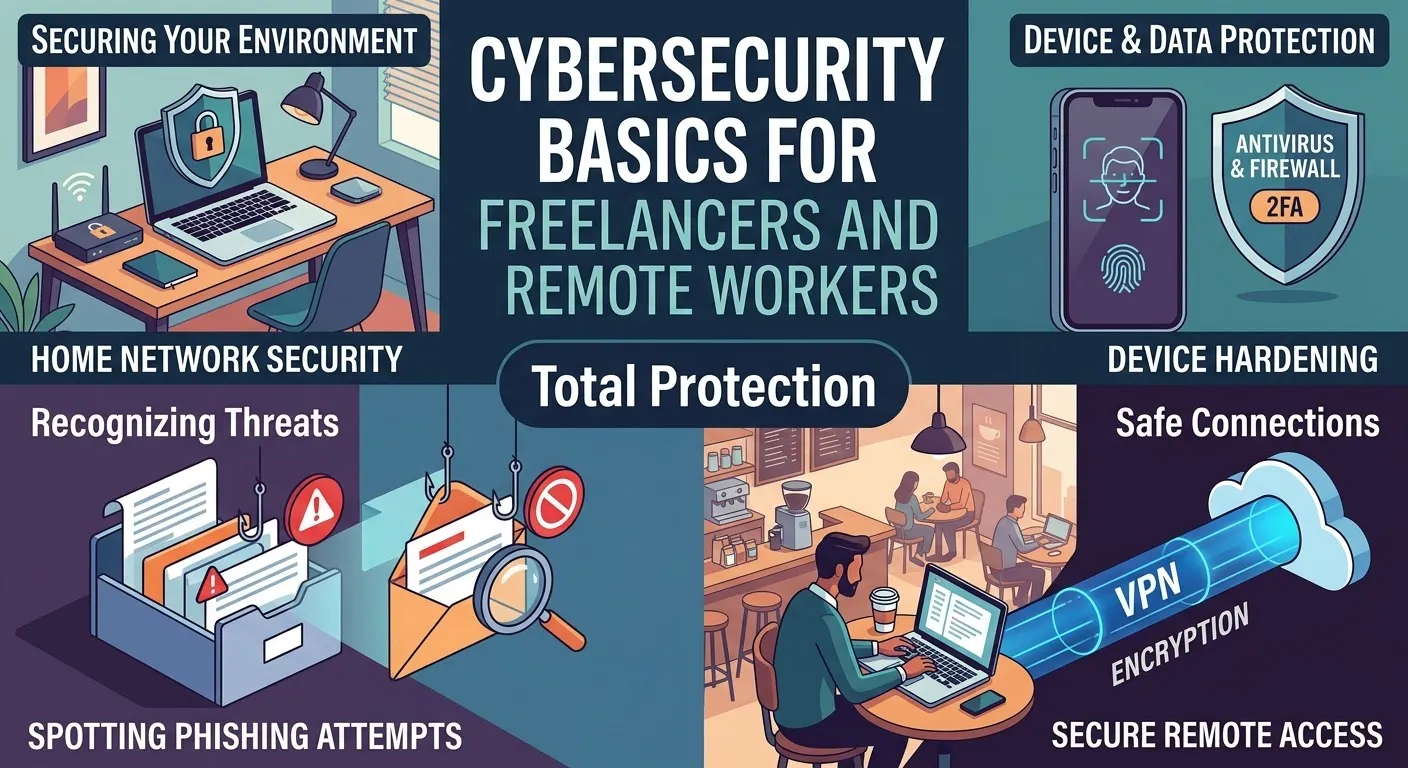
Understanding the Elevated Risk for Independent Professionals
Freelancers, contractors, and remote workers operate at a unique intersection of independence and vulnerability within the digital landscape. Unlike employees of larger organizations, they typically lack the protective shield of a dedicated IT department or corporate cybersecurity infrastructure. This autonomy, while offering flexibility, inherently places them in a more exposed position. Attackers are acutely aware of this disparity and frequently target individuals who manage sensitive client data, financial transactions, and intellectual property without robust professional safeguards. Common tactics include sophisticated phishing campaigns, fraudulent invoicing schemes, and attempts at account takeovers. Cultivating a series of proactive digital habits is not merely advisable but essential for mitigating the vast majority of these potential security incidents.
Why Freelancers Are Prime Targets
The nature of freelancing involves managing diverse client relationships, handling sensitive project details, and processing payments across various platforms. This creates a rich target environment for cybercriminals.
- Decentralized Security: Without a central IT team, individual freelancers bear the full responsibility for their digital defenses. This often means less sophisticated security tools and practices compared to corporate environments.
- Data Handling: Freelancers frequently process and store client data, which can range from personal identifiable information (PII) to intellectual property or financial records. This data becomes a valuable target for breaches.
- Financial Transactions: As self-employed individuals, freelancers are constantly involved in invoicing, payments, and banking. This makes them susceptible to financial scams like fake invoices or business email compromise (BEC).
- Lower Awareness: While many freelancers are technically proficient in their core areas, cybersecurity might not be their primary focus, leading to overlooked vulnerabilities.
Fortifying Your Digital Gates: Essential Authentication Practices
One of the most fundamental yet impactful steps in cybersecurity involves strengthening your access points. Just as a physical office relies on locks and keys, your digital presence depends on robust authentication.
Implementing a Password Manager Solution
The cornerstone of modern account security is the use of unique, complex passwords for every single online service. Relying on memorable or recycled passwords is an open invitation for compromise. A reputable password manager generates and securely stores these credentials, alleviating the burden of remembering them all. This strategy directly counters the prevalent issue where a breach of one service can cascade into compromises across multiple accounts due to password reuse.
Practical Steps for Password Manager Adoption:
- Select a Trusted Provider: Research and choose a well-regarded password manager (e.g., LastPass, 1Password, Bitwarden).
- Create a Strong Master Password: This is the only password you'll need to remember, so make it exceptionally long and complex. Consider a passphrase of several unrelated words.
- Import Existing Passwords (Cautiously): If your browser has saved passwords, you can often import them, but be prepared to update many of them.
- Update Passwords Systematically: Start with your most critical accounts (email, banking) and systematically update all your passwords to new, unique, and strong ones generated by the manager.
- Integrate with Browsers/Apps: Use the password manager's browser extensions and mobile apps for seamless login experiences.
Activating Multi-Factor Authentication (MFA)
Beyond strong passwords, multi-factor authentication (MFA), often referred to as two-factor authentication (2FA), adds a crucial layer of security by requiring a second verification method. Even if your password is stolen, an attacker cannot gain access without this second factor.
Prioritizing MFA Deployment:
- Email Accounts: Your primary email address is often the "recovery key" for all your other online accounts. Securing it with MFA is paramount.
- Banking and Payment Platforms: Financial accounts demand the highest level of protection.
- Cloud Storage and Productivity Suites: Platforms holding your work documents, client files, and sensitive data require MFA.
While SMS-based MFA offers some protection, it is generally less secure than authenticator apps (e.g., Google Authenticator, Authy) or hardware security keys (e.g., YubiKey). Authenticator apps generate time-sensitive codes directly on your device, making them resistant to SIM-swapping attacks that can compromise SMS codes. Hardware keys offer the strongest protection, requiring a physical device to complete authentication.
Developing a Sharp Eye for Phishing Attempts
Phishing remains one of the most common and effective attack vectors. These deceptive communications attempt to trick recipients into revealing sensitive information or installing malicious software. Learning to identify their tell-tale signs is an invaluable skill.
Key Indicators of a Phishing Attempt:
- Sender's Email Address: Always scrutinize the full sender address, not just the display name. Attackers often use addresses that are subtly different from legitimate ones (e.g., `support@client-services.co` instead of `support@client-services.com`).
- Hover Over Links: Before clicking any link, hover your mouse cursor over it (on desktop) or long-press (on mobile) to reveal the actual destination URL. If it doesn't match the expected legitimate domain, do not click.
- Unusual Urgency or Threats: Phishing emails often create a sense of panic, warning of account suspensions, immediate action required, or dire consequences if you don't respond quickly. This urgency is designed to bypass critical thinking.
- Grammar and Spelling Errors: While not always present in sophisticated attacks, frequent grammatical mistakes or awkward phrasing can be a red flag.
- Unexpected Attachments: Be wary of unsolicited attachments, even if they appear to come from a known sender. Confirm their legitimacy through an alternative communication channel if unsure.
A critical example of a financially devastating phishing attempt involves a client suddenly requesting a change in bank details for payments. In such scenarios, never rely solely on the email communication. Always confirm such changes by directly calling the client using a phone number you already have on file or obtained through their official website, not a number provided in the suspicious email.
Maintaining a Healthy Digital Environment: Device and Data Management
Your devices are the gateway to your professional life and client information. Ensuring they are consistently updated and your data is properly managed is fundamental to preventing breaches and ensuring business continuity.
Keeping Systems and Software Up-to-Date
Software updates are not just about new features; they frequently include critical security patches that address newly discovered vulnerabilities. Procrastinating on updates leaves your devices exposed.
- Operating System: Enable automatic updates for your computer's operating system (Windows, macOS, Linux).
- Web Browsers: Ensure your primary web browser (Chrome, Firefox, Edge, Safari) is set to update automatically. Browsers are your primary interface with the internet and a common attack vector.
- Applications: Regularly check for updates for all installed applications, especially those handling sensitive data or connecting to the internet.
- Remove Unused Software: De-cluttering your system by uninstalling software you no longer use reduces the attack surface and potential for vulnerabilities.
- Enable Full-Disk Encryption: Features like BitLocker (Windows) or FileVault (macOS) encrypt your entire hard drive, protecting your data if your device is lost or stolen.
- Implement a Screen Lock: Configure your devices to automatically lock after a short period of inactivity and always use a strong password, PIN, or biometric authentication to unlock them.
Implementing Robust Data Backup Strategies
Data loss, whether due to hardware failure, malware, or human error, can be catastrophic for a freelancer. A comprehensive backup strategy is non-negotiable. The "3-2-1 rule" is a widely recognized best practice:
- Three Copies: Maintain at least three copies of your crucial data. This includes your primary working files and two backups.
- Two Types of Storage: Store these copies on at least two different types of media (e.g., internal hard drive, external hard drive, network-attached storage, cloud storage). This protects against media-specific failures.
- One Off-site/Cloud Copy: At least one copy should be stored off-site or in the cloud. This safeguards against local disasters like fire, theft, or flood.
Regularly Test Your Backups: The effectiveness of a backup is only proven when you can successfully restore from it. Make it a habit to periodically (e.g., quarterly) test restoring a few files from your backup to ensure the process works as expected and the data is not corrupted.
Navigating Public Wi-Fi Securely
Public Wi-Fi networks in cafes, airports, or hotels are inherently less secure than private networks. They are often unencrypted, making your data vulnerable to interception by others on the same network.
- Avoid Sensitive Transactions: Refrain from logging into banking portals, payment platforms, or any site requiring highly sensitive personal information when connected to public Wi-Fi.
- Utilize Your Phone's Hotspot: Your smartphone's mobile hotspot provides a more secure connection, leveraging your cellular data plan rather than an open public network.
- Employ a Virtual Private Network (VPN): A VPN encrypts your internet traffic, creating a secure tunnel between your device and the VPN server. This makes it significantly harder for malicious actors on the same public network to snoop on your activities. Always use a reputable, paid VPN service rather than free alternatives, which may compromise your privacy.
Crafting Your Cybersecurity Incident Response Plan
Even with the best preventative measures, security incidents can still occur. Having a predefined plan of action is crucial for responding swiftly, minimizing damage, and maintaining client trust.
Steps for Responding to a Compromised Account
- Change the Compromised Password: Immediately change the password for the affected account to a new, strong, and unique one using your password manager.
- Revoke All Active Sessions: Many services offer an option to "log out of all other devices" or "revoke active sessions." Utilize this feature to ensure the attacker is disconnected.
- Inspect for Unauthorized Changes: Check for any unusual activity, such as changed settings, new email rules, unauthorized transactions, or altered files.
- Notify Affected Clients: If client data might have been exposed, notify affected clients promptly and transparently, adhering to any contractual obligations or data protection regulations (e.g., GDPR, CCPA). Provide clear guidance on steps they can take.
- Contact Platform Support: Reach out to the support team of the compromised service to report the incident and seek further guidance or assistance in securing the account.
- Review Other Accounts: Given the possibility of password reuse or shared security questions, review other critical accounts for any signs of compromise and update their passwords if necessary.
- Document the Incident: Keep a record of what happened, when it happened, the actions you took, and any communications with clients or support teams. This documentation can be vital for post-incident analysis and compliance.
Acting quickly and systematically limits the potential for further damage, helps in recovery, and demonstrates professionalism in managing unforeseen challenges. Cybersecurity is not a one-time setup but an ongoing commitment to vigilance and adaptive practices.
--- Related Articles:

Passkeys Explained: How to Replace Your Passwords Safely
What passkeys are, why they resist phishing, and a step-by-step plan to switch your email, bank and social accounts without getting locked out.
Understanding the Basics of Cybersecurity at Home
Simple, jargon-free steps every household can take to protect accounts, devices and personal data.

15 Best AI Tools for Bloggers in 2026
A practical, honest guide to AI tools for bloggers, with realistic options, safety checks, common mistakes, and a clear starting plan.